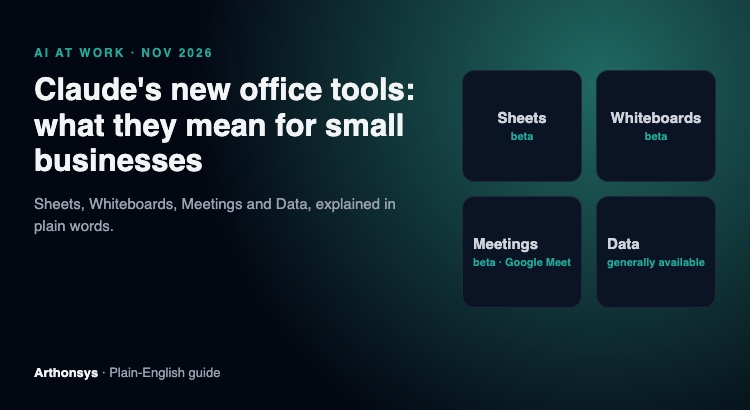
“Do we still need Microsoft Office now?” That’s the question this launch puts in front of every small business owner.
It’s a fair one. On 10 November, Anthropic added Sheets, Whiteboards, Meetings and Data to Claude, and half the headlines called it a shot at Microsoft and Google. My honest answer is no, you don’t drop Office. But some of your weekly busywork just got cheaper, and it’s worth an hour to figure out which part.
Some context on where I’m coming from. We build software for clients, and we use Claude inside our own company every working day: team task updates, website audits, client reports, first drafts of proposals. So this isn’t a feature list read off a press release. It’s what I’d tell a friend who runs a 20-person business.
What actually launched
Claude Sheets is a spreadsheet you build and edit together with Claude. It’s in beta, on paid plans, and it exports to .xlsx and CSV. That export detail matters more than any headline. Anthropic expects your files to end up back in Excel or Google Sheets.
Claude Whiteboards is a shared canvas for planning sessions that Claude can turn into action items. Also beta, also paid plans.
Claude Data is the old Claude Dashboards with a new name, and it’s now generally available.
Claude Meetings is the one I’d be careful with. TechCrunch says it’s in beta for Team and Enterprise plans and works with Google Meet at launch. Some other outlets called it “coming soon”. If your team lives on Teams or Zoom, don’t plan around it yet.
If you’re on an Enterprise plan, one admin note: Sheets and Whiteboards start switched off, and Claude Data turns itself on from 19 November. Have a look at those settings before then, not after.
So, do you still need Office?
Yes. Sorry, there’s no dramatic version of this answer.
Your accountant’s model with 14 linked tabs, the macro someone wrote in 2019 that nobody dares touch, the quote template your customers expect as a Word file, the laptop on a flight with no Wi-Fi. None of that moves to a beta tool this month, and it shouldn’t.
What does change is the stuff around those files. In our own work, the time savings with Claude have never come from replacing a big tool. They come from the small, annoying jobs between tools:
- A call ends and nobody writes down who’s doing what. (Meetings is aimed exactly here, if you’re on Google Meet.)
- Someone exports 3,000 rows from the store every Monday and spends an hour cleaning them before anyone can read them.
- A planning session ends with a phone photo of a whiteboard that nobody opens again.
- A weekly summary that’s the same shape every week, just different numbers.
If two or more of those sound like your office, the new tools are worth a trial. If none do, you can safely ignore this launch for a few months.
Five things I’d decide before anyone on the team starts
Start with one job, not “AI for everything”. Pick something that repeats every week and that a person can check in two minutes. One of the most useful jobs for us has been plain team task updates, nothing clever.
Write down what Claude may see. Salaries, customer records and contracts need a rule before someone pastes them in on a busy Friday. This takes 20 minutes and saves an awkward conversation later.
Check the plan. Most of these tools need a paid plan, and Meetings needs Team or Enterprise. Work that out before you promise anything to your team.
Name the person who checks. AI drafts are fast and usually close. “Usually” is the problem when the number goes to a customer or a bank.
Connect less than you think. Hooking Claude up to your CRM or shared drive is where the real time goes back to you. It’s also where a careless setup can show the wrong file to the wrong person. Give it the access one job needs, then add more.
Where general tools stop and a custom agent makes sense
Sheets and Whiteboards are built for everyone, which means they know nothing about your business. Once the work depends on your own systems, like pulling yesterday’s orders from your store, checking a contract against your own rules or answering customers from your product data, a small agent wired into those systems tends to do far more than a general tool.
We’ve built a few of these for live products: a voice and chat support agent for an internet provider in the US, and AI contract review inside an e-signature product. The lesson from both was the same. The model was the easy part. Deciding what it was allowed to touch took far more thought.
If you want a hand
We help small and mid-sized teams set up Claude properly: the right plan and workspace, sensible data rules, safe connections to the tools you already use, and custom agents when a general tool isn’t enough. No big transformation project. Usually we start with one job and get it working.
Tell us what your team spends too much time on, or send us a WhatsApp. You can also read more about our AI agents service.
Quick answers
What exactly did Anthropic launch on 10 November 2026?
Four things. Claude Sheets and Claude Whiteboards, both in beta on paid plans. Claude Data, which used to be called Claude Dashboards and is now generally available. And Claude Meetings, which TechCrunch reports is in beta on Team and Enterprise plans and only works with Google Meet for now.
Can Claude Sheets replace Excel?
Not today. It is a beta tool, and it exports to .xlsx and CSV, which tells you it is meant to sit next to Excel. Anything with macros, add-ins, heavy formulas or offline use stays in Excel.
We use Microsoft Teams or Zoom. Can we use Claude Meetings?
Not yet, going by the launch reports. It started with Google Meet. If your calls are on Teams or Zoom, wait for wider support before you plan around it.
Where should a small business start?
With one boring, repeating job that a person can check in two minutes, like turning a weekly call into a task list. Set data rules first, then connect only the tools that job needs.
Launch details are from coverage on 10–11 November 2026, mainly TechCrunch and Dataconomy. Most of these tools are in beta and will change, so check Anthropic’s own pages before you buy anything.