Most AI voice agent demos sound great for two minutes. Then a real customer calls, gives half an address, asks about last month’s bill and talks over the agent mid-sentence.
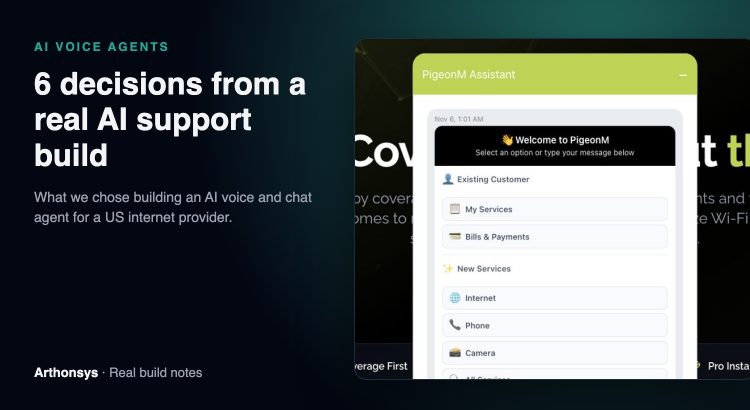
We built a voice and chat agent for PigeonM, an internet and IT services provider in the USA. It answers phone calls and website chats, identifies the customer, checks the address, explains plans, sends payment and sign-up links, and opens tickets in the CRM. You can try the chat version yourself: it opens on every page of pigeonm.com.
This post is not a tutorial. It is the six decisions that mattered most, and why we made them. If you are planning a voice agent for your own business, these are the questions you will face too.
1. The AI decides, but our code does
The single most important choice: the language model never touches billing or customer records directly. It works through function calling. The model decides “this caller wants a payment link”, and then a backend function that we wrote and tested creates the link and sends it.
The agent has a short, fixed list of tools: find the customer by email or phone, send and verify an OTP, check the address with Google Maps, look up plans, send a payment or sign-up link, create a lead, task or ticket in the CRM, and transfer the call. If it is not on that list, the agent cannot do it. That is what makes it safe to let an AI talk to paying customers.
2. Verify first, then talk about the account
Anyone can call and say “I’m John”. So the agent identifies the caller by email or phone number and sends a one-time password before it discusses anything account-specific. Plan questions and coverage checks are open to everyone; bills and services are not.
3. Real-time audio, with interruptions
People do not wait politely for a bot to finish. On the phone line we used Twilio Media Streams with the OpenAI Realtime API, so audio flows both ways in real time and the agent stops speaking when the caller starts. For speech we also wired in Deepgram (speech-to-text) and ElevenLabs (text-to-speech), and kept the models pluggable, so we can switch providers without rebuilding the agent.
4. Answers from the customer’s own setup, not the internet
Business customers ask questions like “can I add two more security cameras?” or “why is the back office slow?”. A general model can only guess. So customers can upload their network design documents, equipment lists, topology diagrams and floor plans. Google Gemini turns those into structured knowledge, and the agent answers from that. The answer is about their network, not a generic one.
5. One brain, three doors
The same agent serves the phone line, the website chat and the PigeonM mobile app. One set of tools, one set of rules, one CRM. That means a customer who starts on chat and later calls is dealing with the same logic, and every conversation that needs follow-up ends as a lead, task or ticket instead of being lost.
6. A clear way out to a human
We treat handover as a feature, not a failure. When the agent is unsure, or the caller asks for a person, it transfers the call. An agent that knows when to step aside earns more trust than one that tries to answer everything.
What this means if you are planning a voice agent
- Write down the five to ten actions the agent may take. Build and test those as normal code first.
- Decide what needs verification before the agent can discuss it.
- Plan for interruptions and bad audio from day one.
- Give the agent your own data to answer from: products, plans, documents.
- Connect it to the system your team already works in, usually the CRM.
- Design the handover to a person before you design the greeting.
The full project, including the website, app, billing automation and Wi-Fi work around the agent, is in our PigeonM case study. If you want a voice or chat agent for your own business, tell us what your customers call about most. That list is where every good agent starts.
Frequently asked questions
What can an AI voice agent do for customer support?
Answer common questions, identify and verify callers, look up plans or orders, send payment and sign-up links, create CRM tickets and transfer to a person. What it can do depends on the tools you connect it to.
Which technology does an AI voice agent use?
In our PigeonM build: Twilio Media Streams for the phone line, the OpenAI Realtime API for live conversation, Deepgram and ElevenLabs for speech, and Google Gemini for document analysis.
Is it safe to let AI talk to customers?
It can be, if the AI only acts through tested backend functions, verifies callers before discussing accounts and hands over to a person when unsure. Those three rules matter more than the choice of model.